

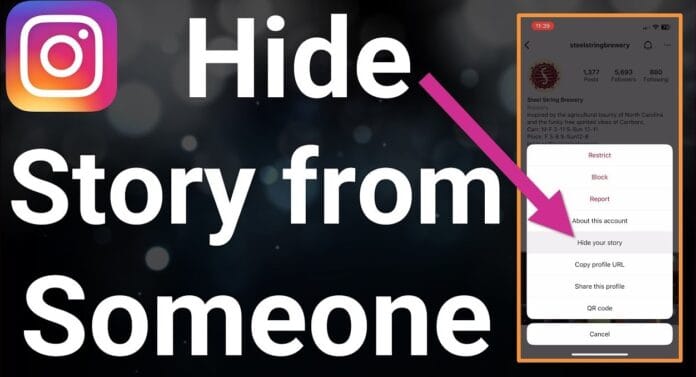

Want to share your Instagram Story without certain people seeing it? Whether you’re avoiding an ex, a coworker, or just keeping things private, Instagram offers multiple ways to hide your Story from specific users. Here’s a step-by-step guide to controlling your Story’s visibility.
📌 Methods to Hide Your Instagram Story from Someone
1️⃣ Hide from Specific Users (Before Posting)
Best for: Blocking certain followers from seeing your Story.
- Open Instagram > Tap your Profile Picture to create a Story.
- Take/upload a photo/video > Tap Settings (⚙️) or Audience (👥) before posting.
- Select Hide Story From (or Audience > Hide Story From).
- Search for the user(s) you want to exclude > Tap Done.
- Post your Story as usual.
🔹 They won’t get a notification that you hid your Story from them.
2️⃣ Use a Close Friends List (For Selective Sharing)
Best for: Only allowing a trusted group to see your Story.
- Go to your Profile > Tap ☰ Menu > Close Friends.
- Add/remove people from the list.
- When posting a Story, select Close Friends instead of Your Story.
🔹 Only those on the list will see it.
3️⃣ Block or Restrict the User (Permanent Solution)
Best for: Cutting off someone completely.
- Block: They can’t see your profile or Stories.
- Go to their profile > ⋮ (Menu) > Block.
- Restrict: They can see your Story, but you won’t see their messages.
- Go to their profile > ⋮ (Menu) > Restrict.
4️⃣ Remove Them as a Follower (If Account is Public)
Best for: Public accounts where someone follows you.
- Go to your Followers list.
- Tap Remove next to their name.
- They won’t see future Stories unless they follow you again.
🔄 Can Someone Tell If You Hid Your Story from Them?
❌ No direct notification, but they might notice if:
- They see your Story on a mutual friend’s phone.
- You usually post Stories but they suddenly stop appearing.
💡 Pro Tips for Better Privacy
✔ Check Story viewers (Swipe up on your Story) to see who’s watching.
✔ Use “Hide Story From” regularly if you want consistent privacy.
✔ Switch to a Private Account to approve followers manually.
❓ FAQ: Hiding Instagram Stories
Q: Can I hide past Stories from someone?
A: ❌ No—you can only hide future Stories. Delete old Stories if needed.
Q: What if I hide my Story from someone and they screenshot it?
A: You’ll still get a screenshot notification if your account is private.
Q: Does hiding Stories affect DMs?
A: No—they can still message you unless you Block/Restrict them.
🔗 Related Guides
- How to Make Your Instagram Private
- Best Instagram Privacy Settings
- How to Remove Followers on Instagram
📢 Found this helpful? Share with friends who need privacy tips!
#InstagramTips #StoryPrivacy #SocialMediaGuide